
How to manually install adapters on Windows 7
 2830661
NOTE:
- This article applies to the situation that failed to install the adapter through .EXE program and the adapter has .inf file to download.
(Please download the latest driver from TP-Link official site, and extract the zip file to see whether your adapter has .inf file.)
- Before the installation, please download the latest driver from TP-Link official website, you can click here to go to the download page.
- Old or useless drivers may affect the installation of the new driver, it is recommended to remove the old driver first, please refer to the FAQ 3769
Then please follow the steps below:
Step 1
Insert the adapter onto your computer.
Step 2
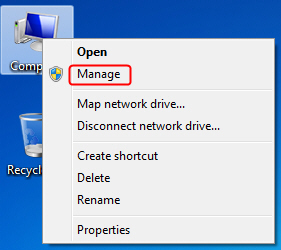
Right click Computer, and then click Manage.
Step 3
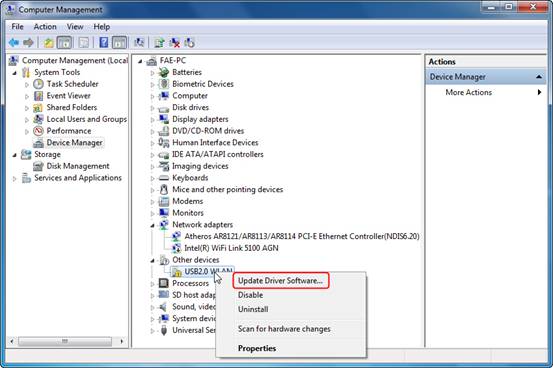
Open Device Manager. Right click the adapter and then click Update Driver Software.
Step 4
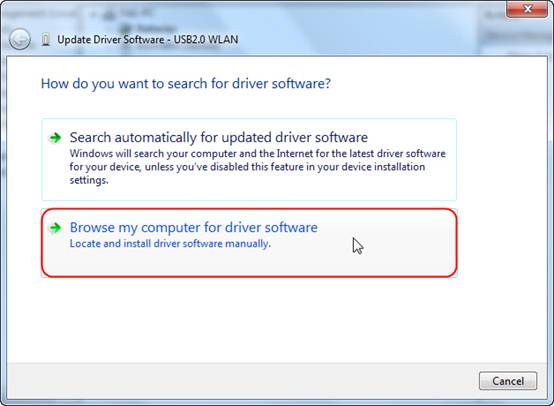
Click Browse my computer for driver software.
Step 5
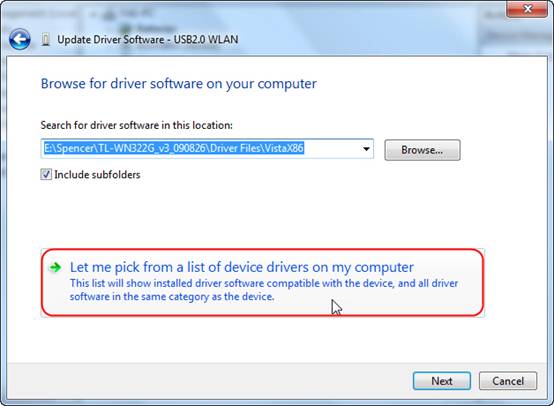
Click on Let me pick from a list of device drivers on my computer.
Step 6
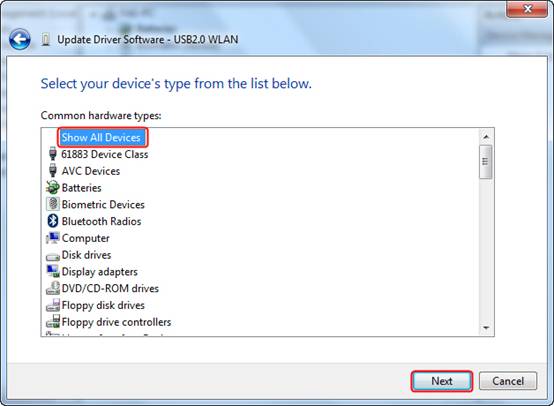
Highlight Show All Devices and click on Next.
Step 7
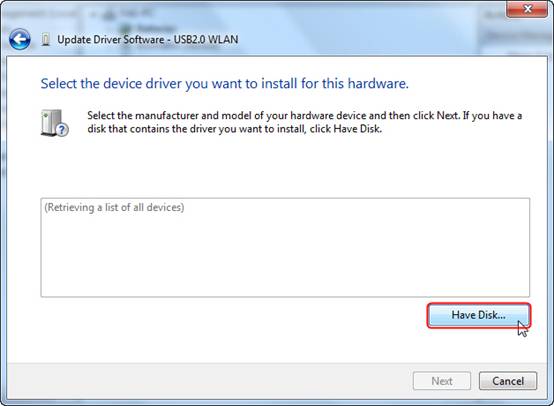
Click Have Disk.
Step 8
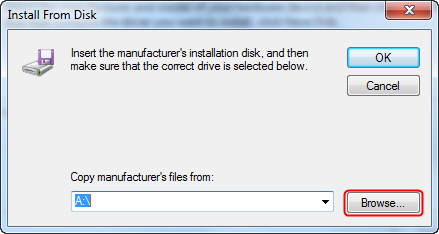
Click Browse.
Step 9
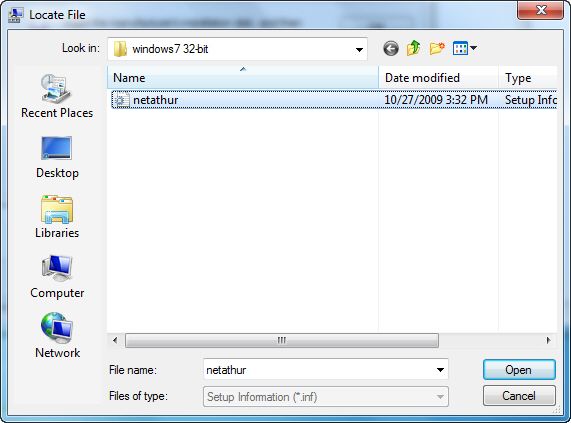
Point to the inf file in the driver folder, and then click Open.
NOTE:
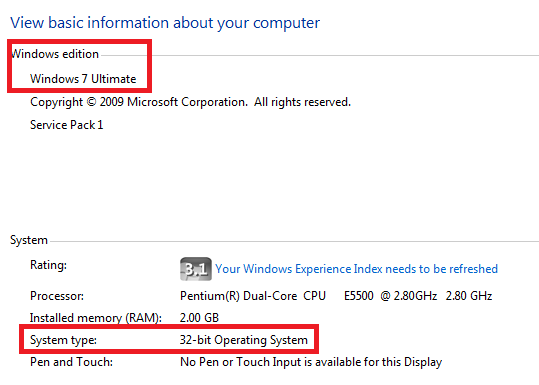
Please click start button, right click Computer and go to properties to confirm operating system and system type of your computer.
Step 10
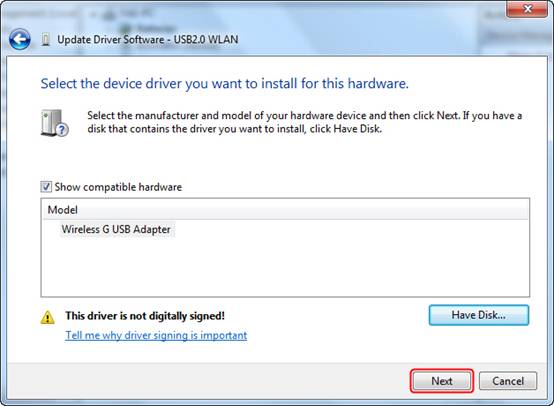
Click on Next.
Step 11
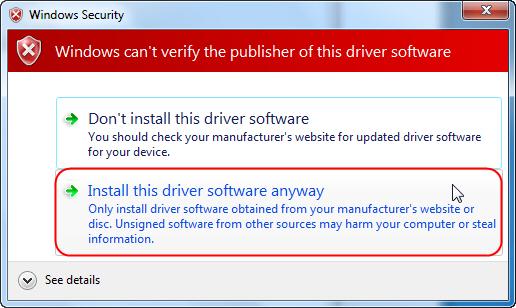
Click Install this driver software anyway.
Step 12
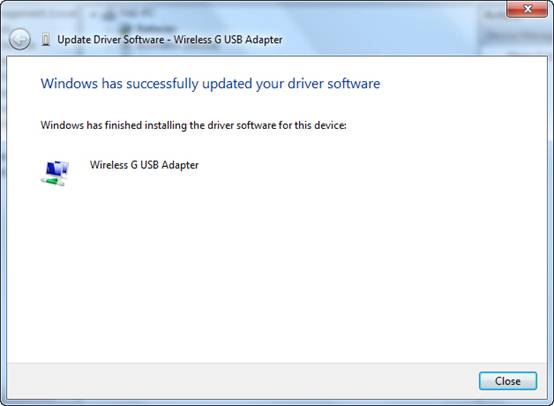
Click Close.
If there are any further problems, please visit our FAQ page or contact TP-Link support.
Finden Sie diese FAQ hilfreich?
Mit Ihrer Rückmeldung tragen Sie dazu bei, dass wir unsere Webpräsenz verbessern.
_1.0_normal_1583734672530r.png)


Von United States?
Erhalten Sie Produkte, Events und Leistungen speziell für Ihre Region